
Search modes, Boolean operators, and wildcards
Use search modes to control how your search terms are matched.
Filecamp lets you choose how multiple search terms should be matched. You can use the Search mode dropdown, or type Boolean operators and wildcards directly into the search field.
Search mode
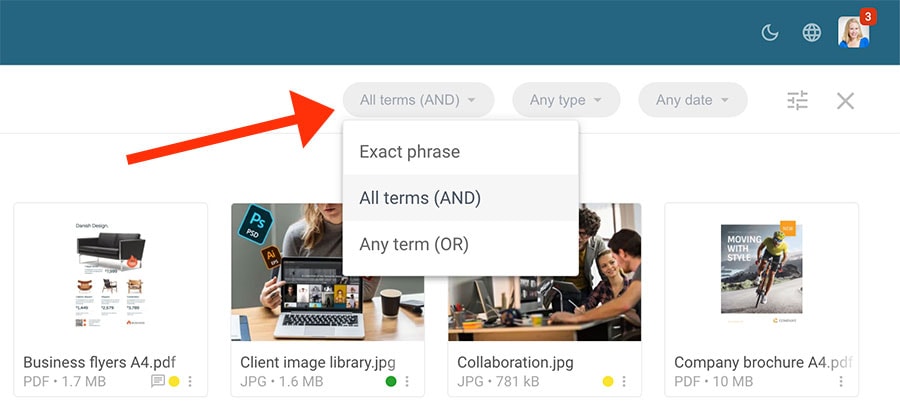
The Search mode dropdown gives you three simple ways to search:
- Exact phrase searches for the exact words in the same order.
Example:blue skyfinds files containing the exact phrase blue sky. - All terms (AND) searches for files containing all terms.
Example:blue sky oceanfinds files containing blue, sky, and ocean. - Any term (OR) searches for files containing at least one term.
Example:blue sky oceanfinds files containing blue, sky, or ocean.
Advanced search
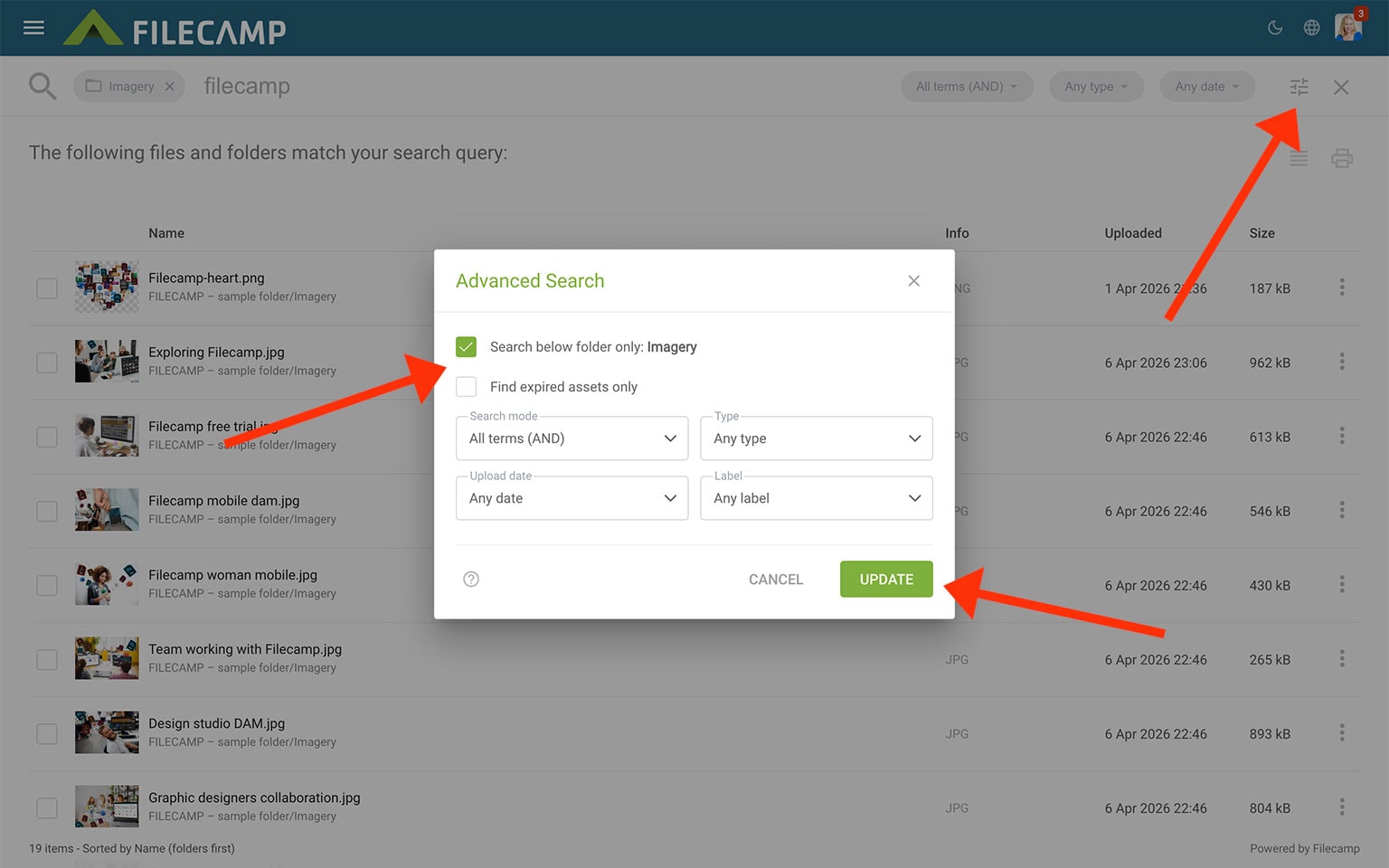
You can also open Advanced Search to narrow your results further:
- Search below folder only searches only in the current folder and its subfolders.
- Find expired assets only shows only assets that have expired.
- Type filters results by asset type, such as images, folders, videos, PDFs, documents, spreadsheets, presentations, or audio.
- Upload date filters results by when files were uploaded, such as the last 24 hours, last 7 days, or a custom date range.
- Label filters results by a specific label.
Click UPDATE to apply the selected filters.
Boolean operators
If you prefer, you can also type Boolean operators directly into the search field:
"blue sky"
Finds anything containing the exact phrase blue sky.blue AND sky
Finds anything containing both blue and sky.blue OR sky
Finds anything containing either blue or sky.blue NOT sky
Finds anything containing blue, but excludes results containing sky.
Wildcards
You can use wildcards when you only know part of a word or filename:
blue sky*
Finds words or phrases that begin with blue sky, such as blue skyscraper or blue skylight.*blue sky
Finds words or phrases that end with blue sky, such as bright blue sky or cloudy blue sky.blue sk?
Finds words matching the pattern, such as blue sky or blue ski.
Tip: Use quotation marks when searching for an exact filename or phrase. For example, search for "blue-sky.jpg" to find that exact filename.
Related articles
Files
Folders
- Create folder
- Edit folder
- Copy or move
- Delete
- Folder upload
- Share folder links
- Request files links
- Custom thumbnails
Favorites
Search
Collections
TIP: You can start a search by pressing the "/" key and exit a search by pressing the "ESC" key. Learn more about keyboard shortcuts.